



Scoping, Screens, Wireframes, Dashboards, and What Drives the Cost
If you are considering building a mobile app, you have probably already collected two or three quotes that disagree with each other by a wide margin. One agency said twenty thousand. Another said a hundred and forty. Neither of them explained why.
That gap is not dishonesty. It is almost always the result of three teams pricing three different projects because nobody defined the project first.
This page walks through what actually happens inside an app build, in the order it happens, so you can read a quote and understand what you are looking at. It is written for the person paying for the app, not for the people building it.
1. Scoping: the part that decides everything else
Scoping is the phase where a vague idea becomes a defined thing that can be estimated. It happens before design, before development, and before anyone can honestly give you a number.
Most failed projects did not fail during the build. They failed here, because the build started before this was finished.
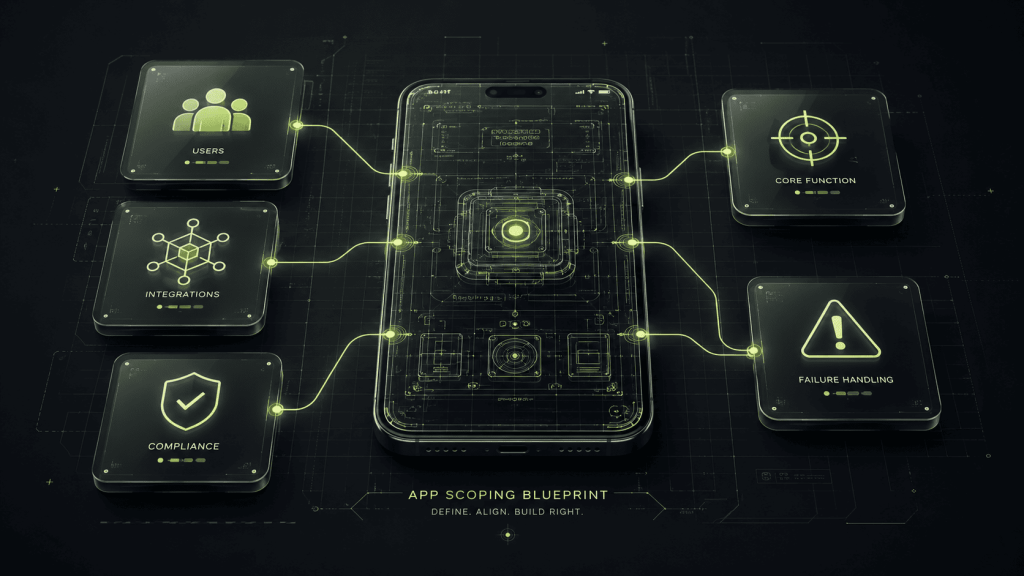
A real scoping process answers five questions:
- Who uses this, and how many kinds of users are there? A single user type is one product. Two user types who see different screens is closer to two products sharing a backend. This one question moves budgets more than any other.
- What is the one thing this app must do well? Everything else is negotiable. If you cannot answer this in a sentence, you are not ready to build yet, and any agency that starts anyway is going to bill you for finding out.
- What does it connect to? Payments, mapping, messaging, calendars, an existing point of sale system, an accounting package. Every integration adds work that is invisible in a design file.
- What has to happen when things go wrong? Failed payments, lost connections, rejected uploads, expired sessions. These are not edge cases. They are a large share of the screens nobody remembers to count.
- What are you legally responsible for? Handling health data, financial data, or children’s data changes the architecture, not the interface. Discovering this in month three is expensive.
What you should get out of scoping: a written definition of what is being built, what is explicitly not being built, and what happens when you want to change your mind.
The signal to watch for. If a firm gives you a fixed price before this conversation, they have either padded the number heavily to cover their own risk, or they intend to bill you for changes later. Both are worse for you than paying for a proper scoping phase.
2. Screens: how the number gets decided
Screen count is the closest thing this industry has to a unit of measurement, and it is the single largest driver of what you pay.
The problem is that almost every client undercounts, because clients count pages and builders count states.
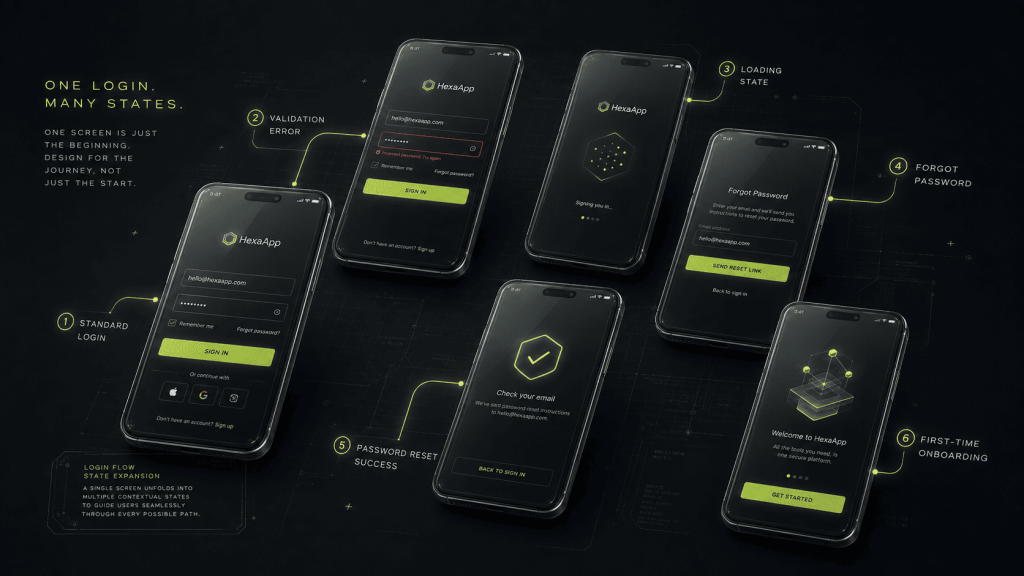
A login screen sounds like one screen. In practice it is the login form, the error state for a wrong password, the loading state, the forgot-password flow, the reset-confirmation screen, and the first-time-user variant. That is six pieces of work behind one word on a feature list.
So when you compare two quotes, check what each one counted:
- Empty states. What a screen looks like before there is any content in it. New users see these first, and they are frequently forgotten.
- Error and failure states. What happens when a payment declines or a connection drops.
- Loading states. These matter more than people expect on mobile.
- Permission and role variants. The same screen looks different to an administrator than to a standard user.
- Onboarding. The first-run experience is usually its own set of screens.
A genuinely simple single-purpose app tends to land somewhere around three to eight core screens once counted honestly. Most people arrive believing their idea is in that range, and most discover during scoping that it is not.
3. Wireframes: where changing your mind is still free
Wireframes are the structural layout of each screen without visual design applied. No colors, no photography, no final typography. Just what goes where, what it does, and where it leads.
They exist for one reason: this is the last stage where changes are cheap.
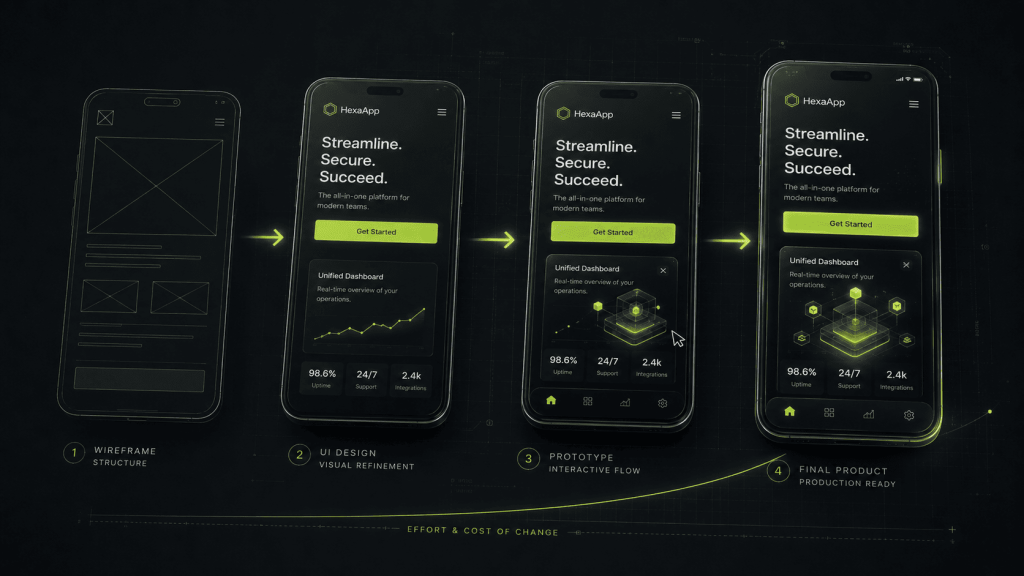
Moving a button in a wireframe takes minutes. Moving it after visual design takes hours. Moving it after development takes a change request, a retest, and a conversation about who pays for it.
The sequence normally runs:
- Wireframes. Structure and flow. You approve what the app does and how someone moves through it.
- Visual design. The wireframes get the brand, the color, the type, and the detail applied. You approve how it looks.
- Prototype. Screens linked together so you can click through the actual journey before anything is built. You approve how it feels.
- Development. Now it gets built.
The single most valuable thing you can do as a client is slow down at stage one and be difficult. Ask why a step exists. Ask what happens if a user does the wrong thing. Push back on flows that feel long. Every objection you raise at wireframe stage costs almost nothing. The same objection raised in month four is a change order.
4. Dashboards: the half of the project nobody budgets for
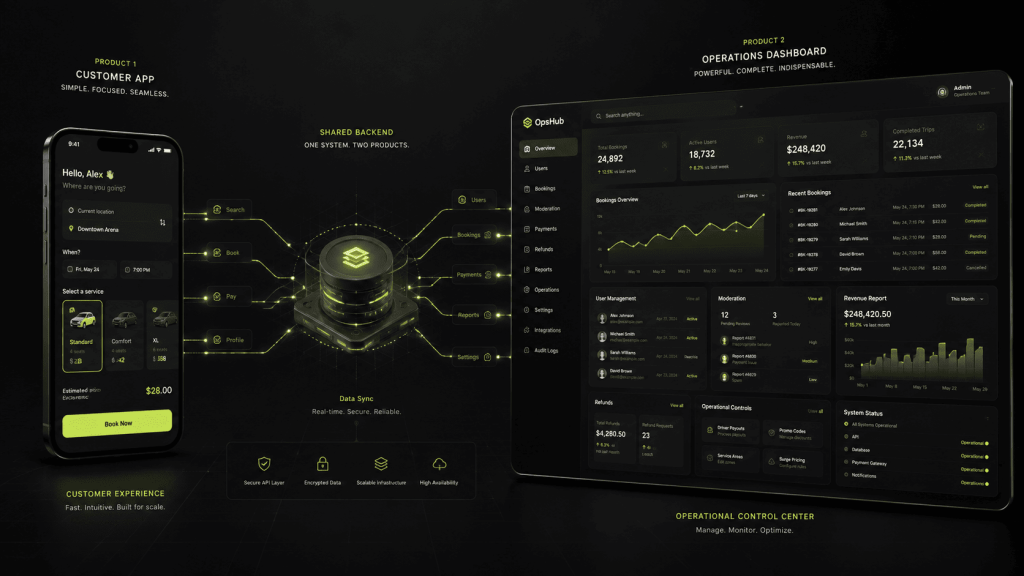
This is the part that surprises most first-time buyers, so it deserves its own section.
Your app is usually two products, not one.
There is the app your customers use. There is also the system you use to run it. If your app has bookings, somebody has to see and manage those bookings. If it has users, somebody has to suspend a bad one. If it has content, somebody has to approve or remove it. If it takes payments, somebody has to handle a refund.
That second product is the admin dashboard, and it rarely appears in the original brief because the client is picturing the customer experience, not their own Tuesday morning.
Depending on what you are building, you may need:
- An admin dashboard. User management, content moderation, and the ability to fix things without calling a developer.
- An operations view. Orders, bookings, or jobs in progress, usually the screen your staff actually live in all day.
- A reporting layer. What happened last month, and whether the app is doing what you built it for.
- A partner or vendor portal. Only if third parties need their own restricted access, and this one effectively adds a third product.
You do not always need all of these, and a good scoping conversation will cut the ones you do not. But you should know they exist before you compare quotes, because a quote that includes an admin dashboard and one that does not are not comparable numbers, no matter how similar they look.
5. What drives the cost
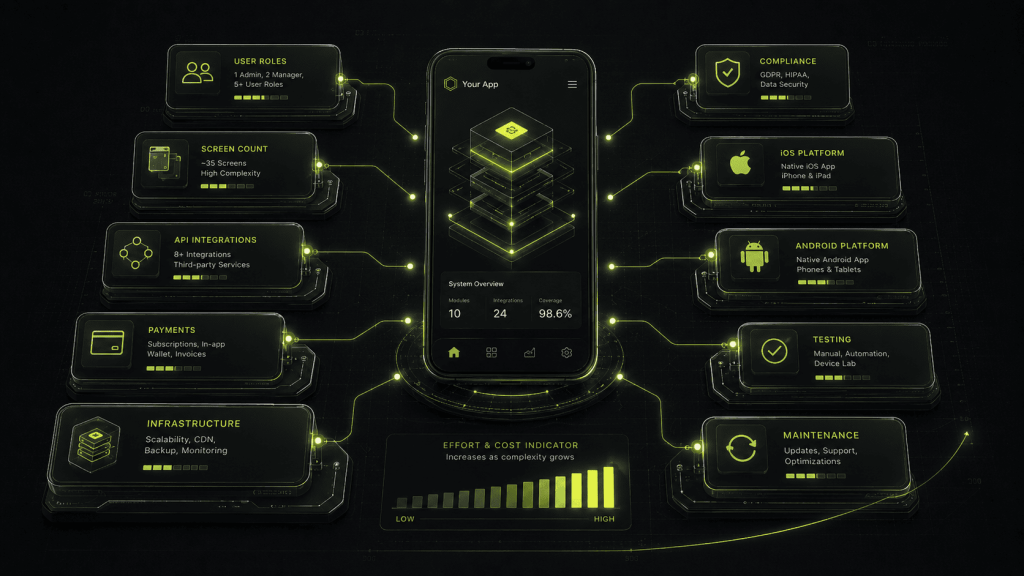
Setting aside any specific figure, here is what actually moves the number on a quote, roughly in order of impact:
- Number of distinct user types. More user types means more screens, more permission logic, and more testing.
- Honest screen count, including the states listed in section 2.
- Integrations. Each external system you connect to is design work, development work, error handling, and testing.
- Whether money moves through the app. Payments bring verification, transaction handling, security requirements, and a much heavier testing burden.
- Custom backend versus managed infrastructure. A managed backend is far cheaper to start on and has real limits. Custom infrastructure costs more upfront and is sometimes genuinely necessary.
- Compliance requirements. Health, financial, and children’s data all change the architecture.
- Platforms and architecture. How many platforms you cover is one question. Whether you build cross-platform or native is a separate one. Covering both platforms costs more than covering one, though considerably less than double, since discovery, design, backend, and project management are all shared. Native costs more than cross-platform and is worth it on performance-critical products. Most products are not performance-critical.
Two costs that are real and almost never discussed upfront:
- Testing typically consumes 20% to 25% of development hours. It produces nothing you can point at in a demo, and it is the worst possible place to save money.
- Maintenance runs around 15% of the build cost per year, indefinitely. Operating systems update, dependencies break, security patches ship. An app is something you keep alive, not something you finish.
6. What to prepare before you talk to anyone
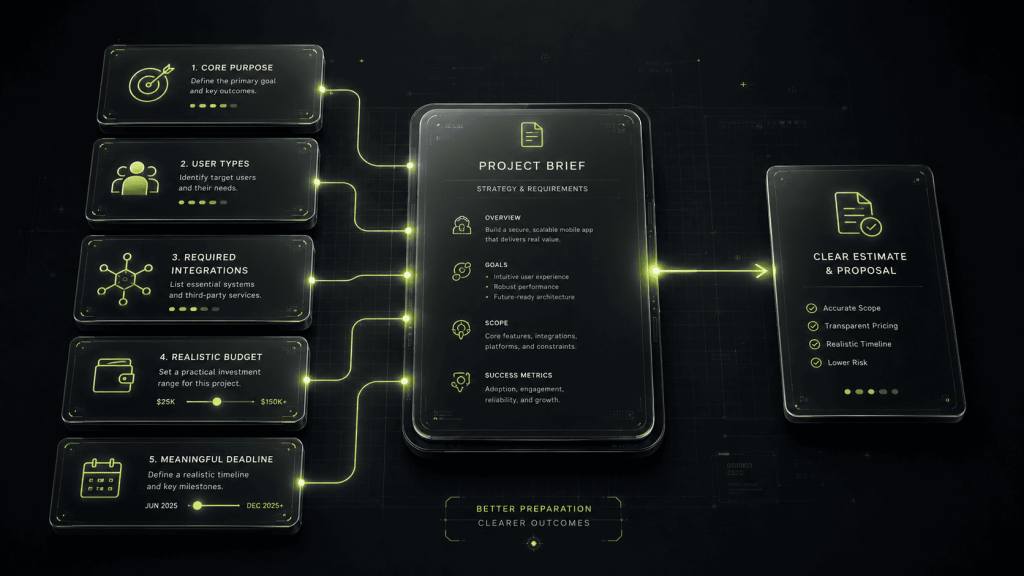
You will get better quotes, faster, and from better firms if you arrive with these five things. None of them require technical knowledge.
- One sentence describing what the app must do well.
- A list of every type of person who will use it, including your own staff.
- A list of systems it needs to connect to, including the ones you already pay for.
- A realistic budget range. Not a number you are hiding. Firms who know your range can tell you honestly whether it is achievable, and the ones who cannot will stop wasting your time.
- A date that matters, and why it matters. A deadline tied to a real event is useful. An arbitrary one just raises your price.
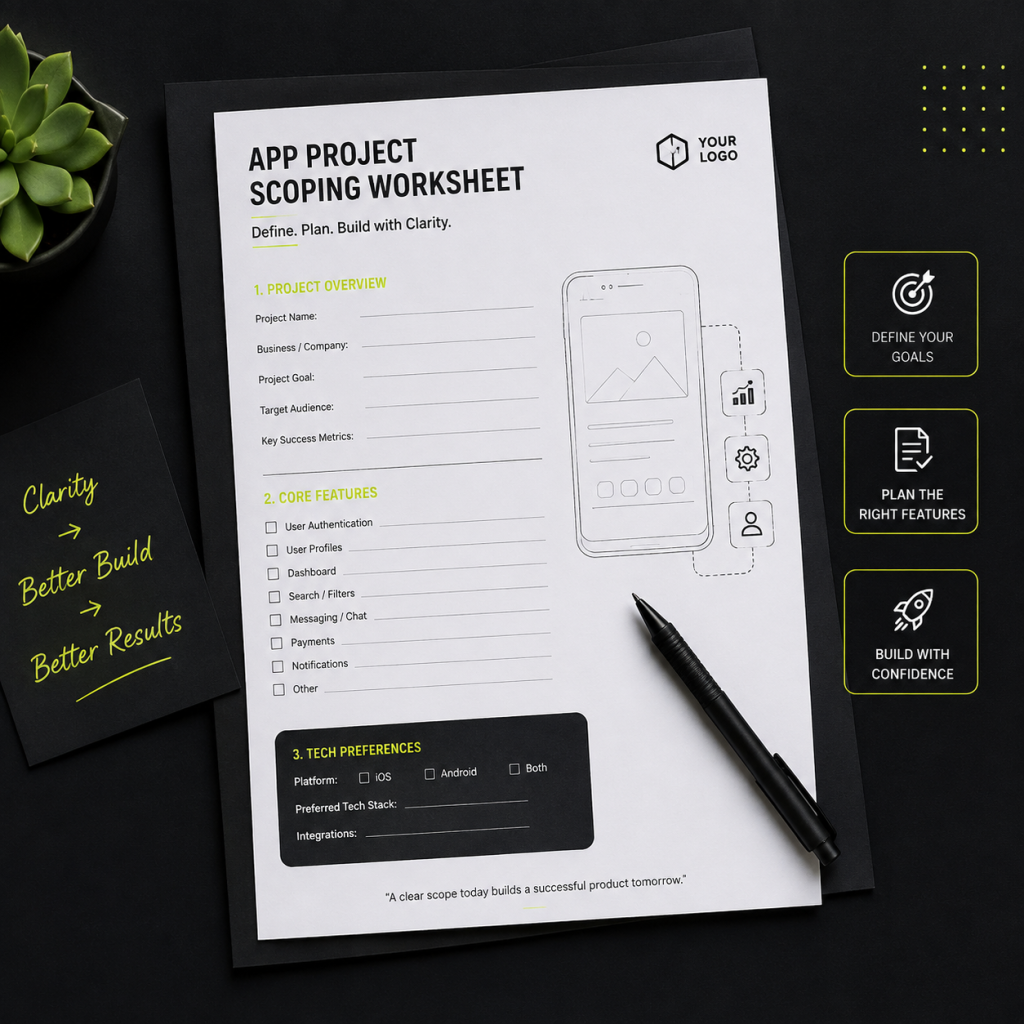
Get the scoping worksheet
We use a scoping worksheet on every project before we quote anything. It is the same document that turns a rough idea into something that can actually be estimated, and it works whether or not you end up building with us.